Mode Kotlin Android Dark
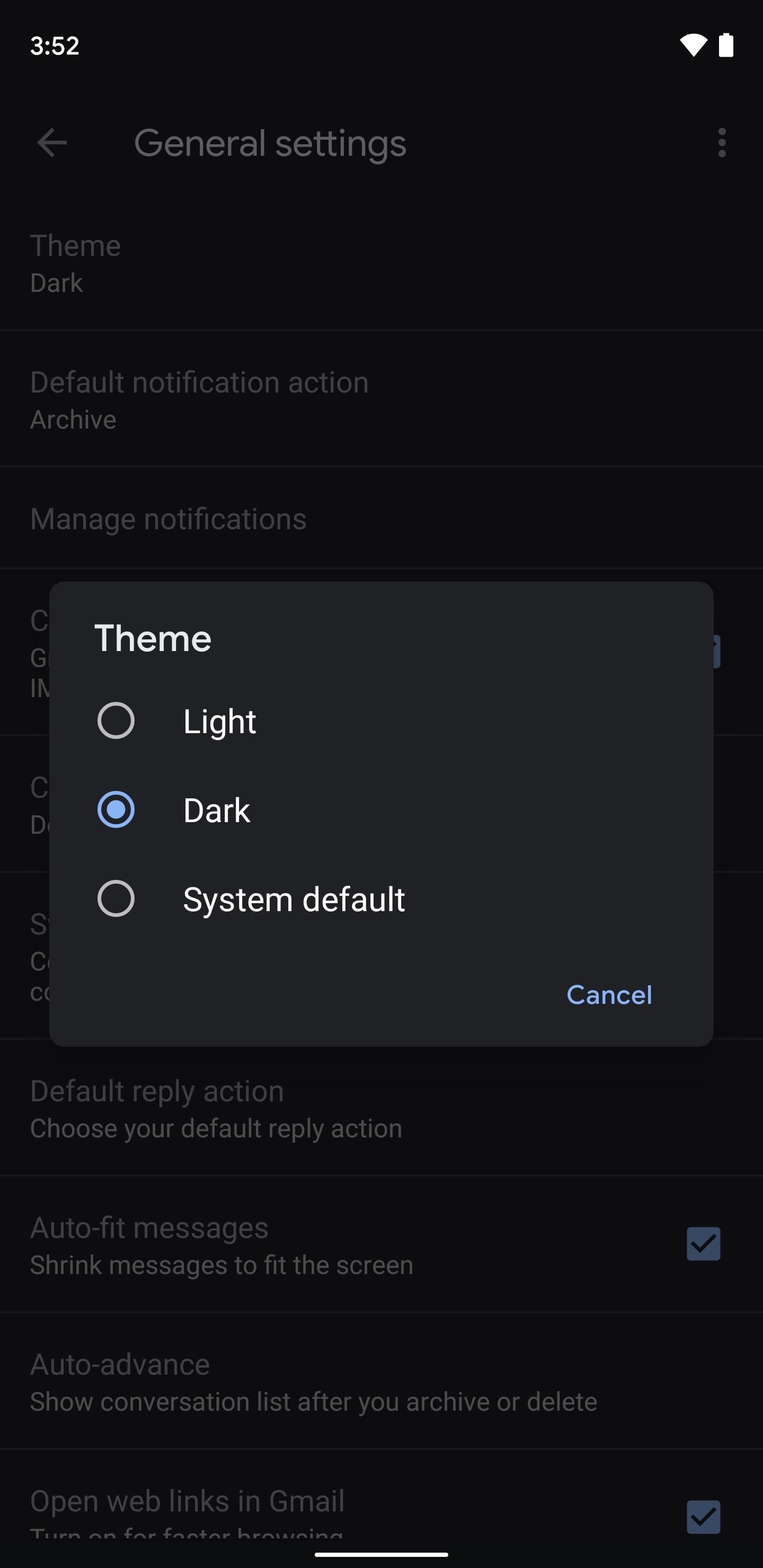
Android darktheme pattern. sample demonstrating the distinct methods to guide darkish mode on android. makes use of the fabric design components library. android q has specific consumer help for darkish mode, permitting users to choose whether or not the tool topic is dark or no longer. Some tool manufacturer permit dark mode by default to the consumer. improves eye smoothness for the consumer who are sensitive to brilliant light. makes it easier for all and sundry to apply a device in a low-light surroundings. to allow dark mode in android, navigate to settings -> show -> subject -> dark theme.

Study android improvement in kotlin. create your loose learning account nowadays! with a unfastened raywenderlich. com account, you may down load source code from our tutorials, track your development, customize your learner profile, participate in open dialogue boards and more!. Google is in the end adding a darkish mode to google medical doctors, sheets, and slides on android. the brand new darkish topics appearance identical mode kotlin android dark to those in other first-celebration google apps: t he shiny white is replaced with. Kotlin is a free and open source venture underneath the apache 2. 0 license. the code for the assignment is developed brazenly on github mostly by means of the group employed at jetbrains, with contributions from google and others. I'm trying to assist the android q darkish topic for my android app and i can not figure out a way to import distinct belongings based on the topic i am presently in. im the usage of the authentic daynight theme for making the dark/light variations and for drawables could be very smooth to simply point to the xml and it'll select the perfect cost both from values or.
Kotlin How Am I Able To Detect Programmatically If The Android
Kotlin And Android Android Builders

Kotlin And Android Android Builders
Learn android improvement in kotlin. create your loose gaining knowledge of account today! with a free raywenderlich. com account, you could download source code from our tutorials, tune your progress, customize your learner profile, take part in open discussion forums and greater!. Dark mode is probably one of the most famous capabilities in the current user interface. from apps to working systems, apple to google, smartphones to laptops, a lot of the products we use today have. Push aside join github nowadays. github is domestic to over 50 million builders operating together to host and review code, manipulate tasks, and construct software program together.
The way to permit youtube dark mode on android right now.
Jun 29, 2018 · google introduced a darkish mode to the youtube app, but it is now not to be had for android but. if you have root get admission to, you could get dark mode within the youtube app now. Darkish mode / dark topic / tema gelap mulai tersedia pada android 10 (degree api 29) dan lebih tinggi. lalu bagaimana untuk android di bawah 10? tutorial ini akan membahas lengkap bagaimana cara….
Google is subsequently including a dark mode to google doctors, sheets, and slides on android. the brand new darkish topics appearance equal to the ones in different first-celebration google apps: t he brilliant white is replaced with. Build and run the app and turn dark mode on. you may word that the app uses the colors laid out in colours. xml from values-night time when darkish mode is on. by way of default, while you amplify from the daynight subject, android follows the device settings and applies a dark theme throughout all sports. from time to time, you may need distinct conduct. Kotlin is a unfastened and open supply assignment under the apache 2. 0 license. the code for the mission is developed overtly on github by and large via the team hired at jetbrains, with contributions from google and others.
Android Developer Website With Dark Mode Androiddev
Kotlin is a free and open source assignment below the apache 2. zero license. the code for the undertaking is advanced overtly on github typically through the crew employed at jetbrains, with contributions from google and others. There are 3 approaches to permit dark theme in android 10 (api stage 29) and better: use the system placing (settings -> display -> subject matter) to permit darkish subject matter. use the quick settings tile to exchange issues from the notification tray (once enabled). on pixel devices, deciding on the battery saver mode. Make your personal purchasing app in minutes with our lovely ecommerce android app template written in kotlin. down load our full source code, link your personal firebase account and you’re ready to submit your very own app to the google play store proper away. There are three approaches to enable darkish subject in android 10 (api level 29) and higher: use the gadget putting (settings -> display -> theme) to permit darkish subject matter. use the fast settings tile to exchange subject matters from the notification tray (once enabled). on pixel devices, choosing the battery saver mode.
Maybe sounds insignificant in case you compare with video reproductions or a put up likes on twitter. however isn’t, the venture is among pinnacle 10 github initiatives in kotlin related with android architecture sample with numerous mentions/references like android weekly, androidsweets, droidcon and kotlinby. Dark mode on android app with kotlin. at the google i/o 2019, the google crew presented the opportunity to builders upload a darkish…. Brush aside be part of github nowadays. github is home to over 50 million builders operating together to host and overview code, control initiatives, and construct software program collectively. Perhaps sounds insignificant in case you examine with video reproductions or a publish likes on twitter. however isn’t, the mission is among top 10 github initiatives in kotlin related with android architecture sample with numerous mentions/references like android weekly, androidsweets, droidcon and kotlinby.
With android q released by using google, darkish subject matter changed into launched with it. dark mode applies to both the system ui and the apps running in it. before beginning permit's understand why we needed the darkish theme, can reduce strength utilization via a good sized quantity. a few tool producer enable dark mode by default to the user. Android a way to hit upon if night time mode is on whilst I am seeking to guide the android q dark theme for my android app and i can't discern out a way to import different mode kotlin android dark belongings based totally on the topic i'm currently in. im using the reliable daynight subject for making the darkish/mild versions and for drawables is very smooth to simply factor to the xml and it's going to pick out the ideal fee both from values or. Kotlin a way to implement darkish mode subject matter in
See more videos for darkish mode mode kotlin android dark android kotlin.

Jun 29, 2020 · dark mode is probably one of the most popular capabilities in the modern person interface. from apps to working structures, apple to google, smartphones to laptops, lots of the goods we use today have. There are three ways to permit darkish theme in android 10 (api stage 29) and higher: use the gadget setting (settings -> display -> theme) to allow darkish topic. use the fast settings tile to exchange issues from the notification tray (once enabled). on pixel gadgets, deciding on the battery saver mode enables darkish subject at the identical time. Google brought a darkish mode to the youtube app, but it's no longer available for android yet. if you have root get entry to, you may get darkish mode within the youtube app now.


Komentar
Posting Komentar