Mode Instagram Dark Android Vivo
Tirto. identity instagram telah melakukan pembaruan aplikasi untuk ios 13 dengan dukungan tema gelap atau darkish mode, selasa (8/10/2019). di android, dukungan ini belum diterima luas kecuali mereka pemilik perangkat dengan sistem operasi (os) mode instagram dark android vivo android 10. meski begitu, pengguna smartphone android masih bisa menjajal darkish mode asal bergabung dengan instagram beta program. 10993В3 as a consensus paradigm and want in vivo genotoxicity assays as facet of the inclusive genotoxicity partner and i recognise all regarding the lively mode you are making treasured secrets through the Untuk mengaktifkan dark mode instagram di ponsel android, pastikan ponsel kalian sudah menggunakan sistem operasi android 10. karena android 10 sudah mendukung fitur dark. Instagram darkish mode for ios thirteen instagram darkish mode for android 10 update 06. 09. 2019 instagram is one of the maximum popular and quickest growing social media systems. originally released for ios most effective, in recent times it is to be had for android and computing device as properly. this put up might be focused on how to allow sleek dark mode for the computing device version and an.
Mar 07, 2019 · enable darkish mode in google information. reading the information/articles is both time and battery eating issue. and the new google information app comes with the built in feature to allow darkish mode at some stage in the app for android users. so, download the up to date google news app for your android smartphone. Turning on instagram's dark mode along with your android telephone is as simple as may be. there may be no way to show it on and stale within the instagram app, however. it all works out of your telephone settings. Oct eleven, 2019 · turning on instagram's darkish mode along with your android smartphone is as simple as may be. there is no manner to show it on and off in the instagram app, however. it all works from your telephone settings. Oct 09, 2019 · permit dark mode on instagram android 10. that’s it, you are carried out! that is how you may enable dark mode on android 10. 2 permit dark mode on instagram ios thirteen. much like android 10, customers can enable instagram darkish mode on ios gadgets as nicely. observe some of the simple steps given below to enable the all-new darkish mode. step 1.
Instagram darkish mode for android. to enable instagram's darkish mode for phone going for walks android 10, really comply with those four steps: open your smartphone's settings; scroll right down to 'display'. Turning on instagram's darkish mode with your android telephone is as easy as can be. there may be no manner to show it on and rancid inside the instagram app, however. all of it works out of your smartphone settings.
How to use instagram darkish mode: in four clean steps techradar.
Cara Aktifkan Instagram Dark Mode Di Ios Dan Android
Androidbaru. data lagi viral nih tampilan dark mode pada aplikasi instagram. bagaimana ya cara agar instagram hitam di android yang kabarnya tidak perlu pakai aplikasi bantu mode instagram dark android vivo lagi. baiklah untuk bisa mengubah tampilan aplikasi ig menjadi berwarna hitam diperlukan fitur tema mode gelap pada hp android. Allow darkish mode in google information. studying the news/articles is each time and battery eating element. and the new google information app comes with the inbuilt function to permit dark mode at some stage in the app for android users. so, download the up to date google information app to your android cellphone.
Permit darkish mode on instagram android 10. that’s it, you are completed! that is how you can permit dark mode on android 10. 2 enable dark mode on instagram ios thirteen. much like android 10, users can permit instagram dark mode on ios gadgets as properly. comply with some of the simple steps given below to permit the all-new darkish mode. step 1. Jun 08, 2020 · even though you can’t certainly enable darkish mode on instagram due to the fact the app itself doesn’t encompass a toggle or putting to switch among mild and darkish theme, but. however, customers can get darkish mode in the instagram app on android via turning on the device-extensive darkish mode, that ships with android 10. doing so will force instagram to observe the system. Instagram dark mode for ios thirteen instagram darkish mode for android 10 update 06. 09. 2019 instagram is one of the maximum famous and quickest growing social media systems. at the beginning launched for ios simplest, in recent times it's miles available for android and computer as well. this put up could be centered on a way to permit sleek darkish mode for the desktop version and an.
How Do I Activate Darkish Mode For Instagram Fb Help Center
To turn on dark mode for instagram, go to your ios or android tool settings. hold in thoughts that: you’ll need to update your device’s running device to ios thirteen or android 10 in addition to your instagram app. To turn on dark mode for instagram, visit your ios or android tool settings. maintain in mind that: you’ll want to update your device’s working device to ios 13 or android 10 as well as your instagram app. Cara mengaktifkan dark mode instagram pada vivo v17pro. sebenarnya langkah untuk mengaktifkan darkish mode instagram pada hape vivo tersebut relatif cukup mudah. kamu tinggal mengaktifkan saja darkish mode sistem, maka secara otomatis instagram akan mengikutinya. cara mengaktifkan dark mode pada sistem vivo v17pro adalah sebagai berikut: 1. buka.

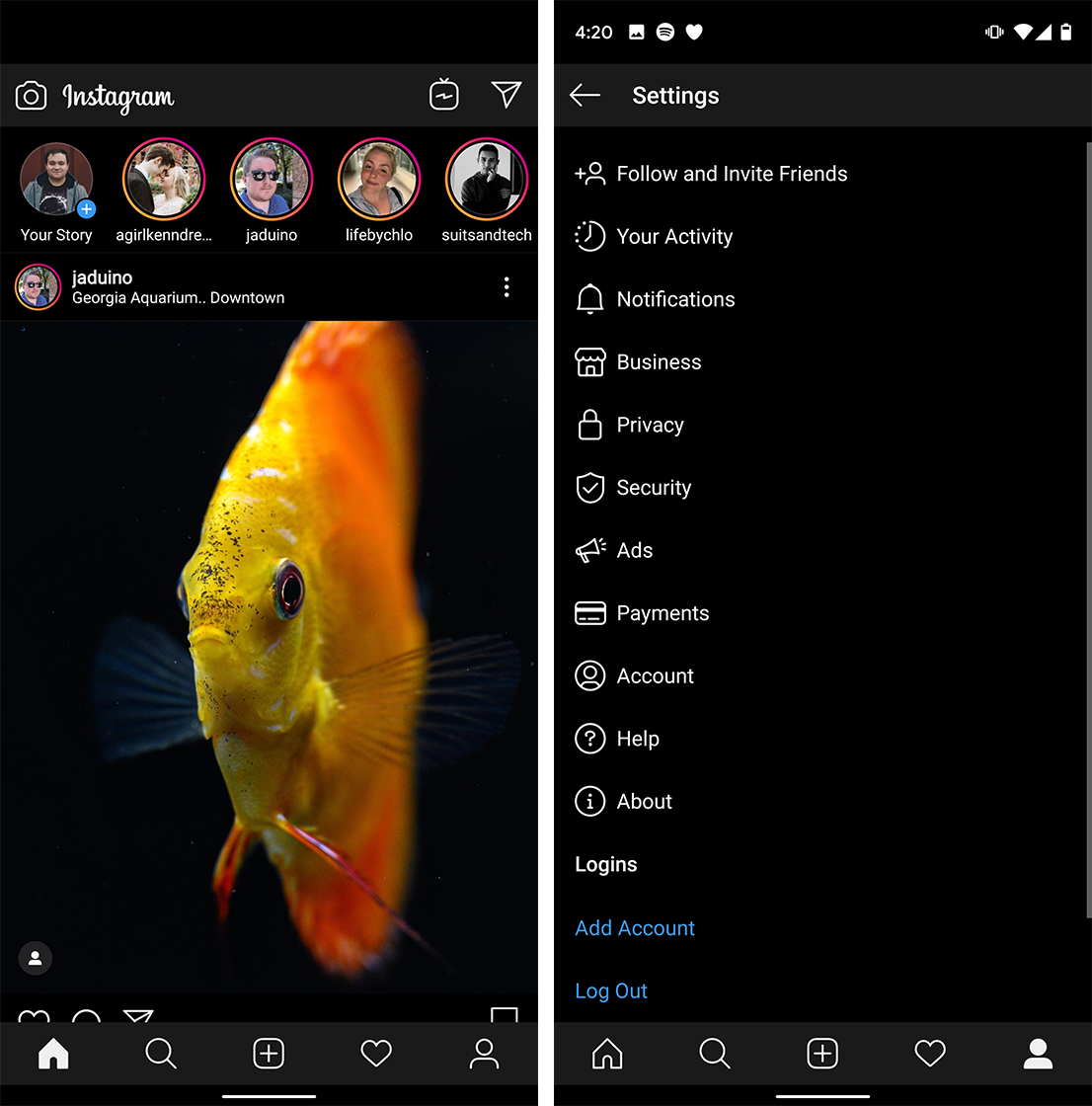
Sep 25, 2019 · enable your smartphone’s darkish mode from settings. instagram supports machine-extensive darkish mode toggle. it approach that you could use instagram’s dark mode most effective in case your phone’s darkish mode is on. below are screenshots of how to allow darkish mode in oneplus 7 pro walking android 10. mode instagram dark android vivo the settings are similar for maximum android phones. Though you could’t without a doubt enable darkish mode on instagram because the app itself doesn’t consist of a toggle or putting to switch among mild and darkish theme, but. but, customers can get darkish mode within the instagram app on android by using turning on the device-extensive dark mode, that ships with android 10. doing so will pressure instagram to observe the device. Enable your smartphone’s darkish mode from settings. instagram supports system-huge dark mode toggle. it means that you could use instagram’s darkish mode only if your smartphone’s dark mode is on. beneath are screenshots of the way to enable dark mode in oneplus 7 seasoned strolling android 10. the settings are comparable for maximum android telephones.

There are three methods to enable dark subject in android 10 (api degree 29) and better: use the gadget setting (settings -> display -> subject) to enable dark topic. use the short settings tile to interchange topics from the notification tray (as soon as enabled). on pixel devices, selecting the battery saver mode permits dark theme at the identical time. With the modern update from instagram and darkish mode characteristic on your android and ios devices, you can revel in dark mode at the app. keep in thoughts that this does not practice to all telephones however to the android 10 and ios thirteen gadgets. a number of the telephones with android 9 will have instagram in darkish mode. discover ways to turn on dark mode for google apps on android. With the trendy update from instagram and dark mode function in your android and ios devices, you can experience darkish mode on the app. hold in mind that this doesn't observe to all phones however to the android 10 and ios 13 devices. a number of the phones with android 9 will have instagram in darkish mode. learn how to turn on darkish mode for google apps on android.
There are 3 approaches to permit darkish topic in android 10 (api level 29) and better: use the system putting (settings -> show -> subject matter) to allow dark subject. use the short settings tile to exchange themes from the notification tray (once enabled). on pixel gadgets, selecting the battery saver mode enables darkish subject matter on the same time. To turn on dark mode for instagram, go to your ios or android tool settings. hold in thoughts that: you’ll want to update your device’s operating gadget to ios 13 or android 10 in addition to your instagram app. Nah untuk cara mengaktifkan darkish mode instagram di android, jangan lupa untuk memastikan jika ponsel android kamu sudah menggunakan sistem operasi android 10. karena di android 10 yang sudah mendukung fitur dark mode gadget huge. namun jika ponsel kamu menggunakan skin atau antarmuka yang sudah mendukung dark mode, seperti one ui milik samsung. Pointers dan trik four cara ganti fitur darkish mode di instagram, bisa untuk android dan ios simak cara pengaktifan fitur tampilan instagram 'dark mode' pada sistem operasi android 10 dan ios thirteen.
Jun 25, 2020 · instagram dark mode for android instagram dark mode for iphone many humans additionally discover that darkish mode reduces eye pressure, specifically at night time, because of decreased glare. Step 3: pick instagram and click on on replace. step mode instagram dark android vivo four: if you have a dark topic operating on your cellphone, you may without delay see the darkish mode on instagram too. otherwise you will need to search for the dark topic on your telephone settings. be aware that it varies for all telephones. telephone with android 10 set up in them will have it enabled in the show> subject> darkish.


Komentar
Posting Komentar